FindWeedNY Now Has an MCP Server: Ask Your AI About New York Dispensaries
FindWeedNY Now Has an MCP Server: Ask Your AI About New York Dispensaries
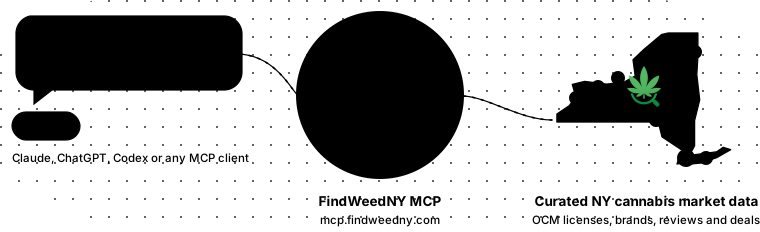
Your AI assistant was trained on a snapshot of the internet that is already months old. It does not know which New York dispensaries opened last week, what is on sale in Buffalo today, or whether a license number is real. Our new MCP server gives it that knowledge, live.
FindWeedNY's data is now available to AI assistants through a free Model Context Protocol (MCP) server at mcp.findweedny.com. Connect it to Claude, ChatGPT, Codex, Cursor or any other MCP client and you can ask plain questions about licensed New York dispensaries, brands, deals, OCM license records and our lab-anchored reviews. It is read-only, needs no API key, and answers from the same daily-updated data the website runs on.Key Facts
| Address | https://mcp.findweedny.com/mcp |
| Cost | Free |
| Sign-in | None for the public tier; a free FindWeedNY account unlocks the signed-in tier |
| Access | Read-only. Nothing is written, nothing is changed |
| Tools | Nine: dispensary search, dispensary details, license verification, brand search, brand details with where to buy, deal previews, review search, single review with full lab panel, market stats |
| Coverage | New York State only, from NY Office of Cannabis Management open data plus FindWeedNY verification |
| Data license | Facts are CC BY 4.0. Every row carries its findweedny.com link |
| Rate limit | 60 calls a minute per IP on the public tier, 300 per account when signed in |
What Is an MCP Server?
MCP is an open standard that lets an AI assistant call outside tools while it talks to you. Instead of guessing from whatever it read during training, the assistant asks a server for live facts and works those into its answer. Anthropic published the protocol in late 2024 and Claude, ChatGPT, Cursor, VS Code and most other assistants now support it.
MCP itself is not AI. It is a plain protocol: a small JSON request over HTTPS, answered from our database, with no model involved on our end. There is no training, no generation and no GPU in this server. The AI is the assistant you already use, and MCP is just the phone line it picks up to ask us a question.
That distinction matters if you are wary of what AI costs to run. A tool call to this server is a database lookup, about as heavy as loading one page of the site and far lighter than a bot fetching dozens of pages to find the same answer. Handing an assistant exact facts also means shorter answers with fewer retries, which is the environmentally considerate way to use these tools. The server does not run unless someone asks it something.
Our server hands assistants nine tools. When you ask "which Bushwick dispensaries carry Back Home flower?", the assistant calls our dispensary search with the neighborhood and brand filled in, gets back licensed stores with addresses, hours and links, and answers you in its own words with our data underneath.
What You Can Ask
Anything the site can answer, the server can answer. Some questions we tested it with:
- Which dispensaries are within 2 miles of ZIP 11201?
- Is OCM-CAURD-23-000023 a real licensed New York dispensary, and who holds it?
- What deals are running in Buffalo today?
- Which New York microbusinesses grow outdoor flower?
- Which FindWeedNY flower reviews found the most terpenes?
- How big is the New York market, and what opened recently?
Reviews come through with their lab numbers. Ask for the highest-terpene flower we have reviewed and the assistant sees THC, total terpenes, the top terpenes and the link to the full certificate of analysis for each one.
What It Looks Like
New to AI tools? The loop is simple. You ask in plain English. The model decides it needs facts, calls one of our tools, and the MCP server answers from our database. The model writes the reply from that data. The AI understands and writes; the server knows.
That is the "1 tool call" line under each answer. These are real answers from our own chat, using the same nine tools any client gets.
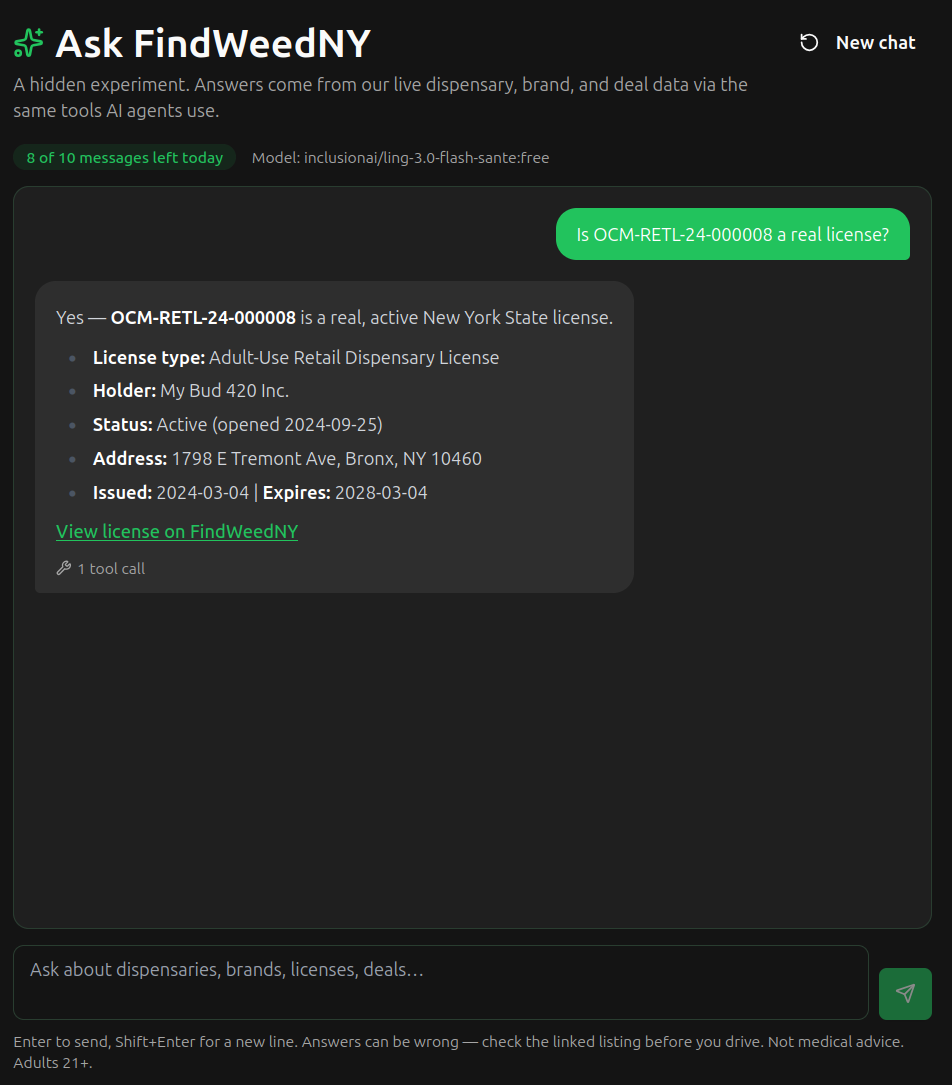
A license check: type, holder, status, dates and address from the OCM record, with the FindWeedNY license page linked.
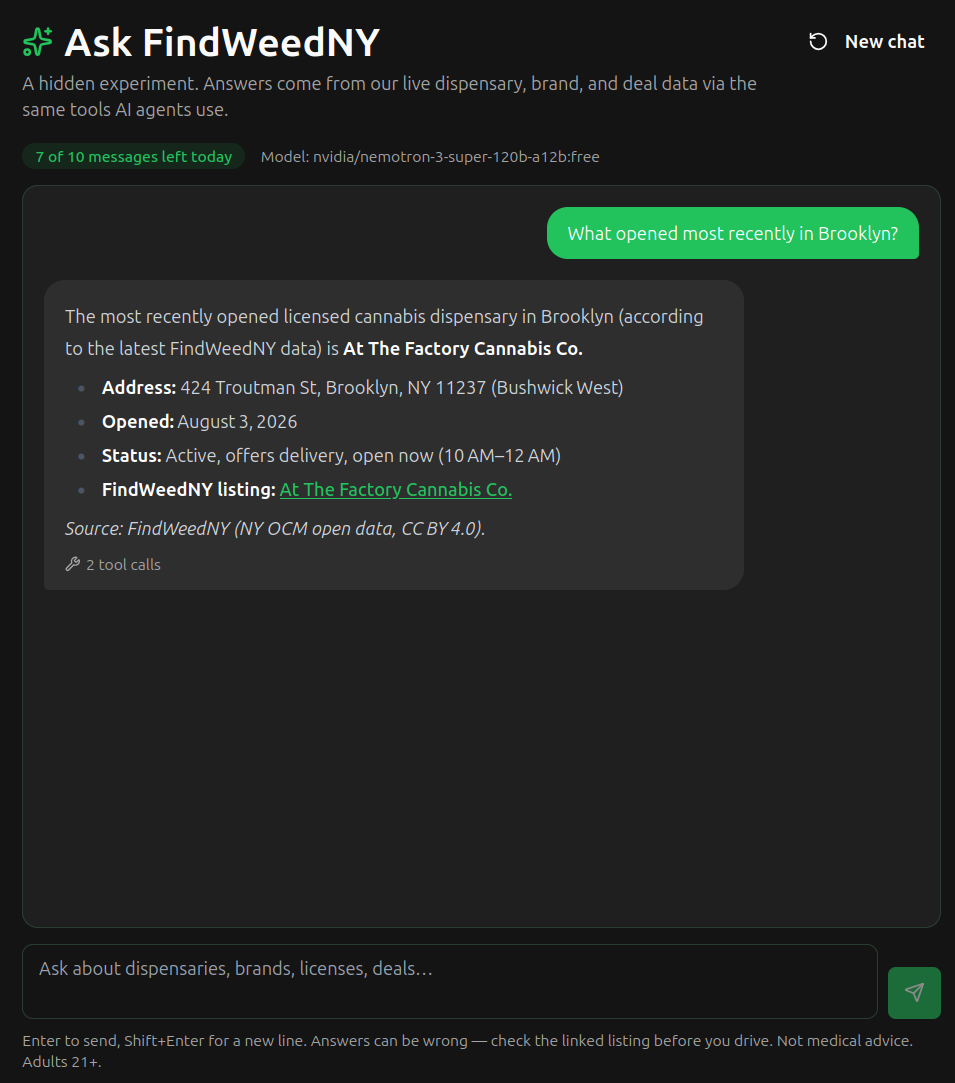
Recent openings, with hours and delivery status pulled from the live listing. This one took two tool calls.
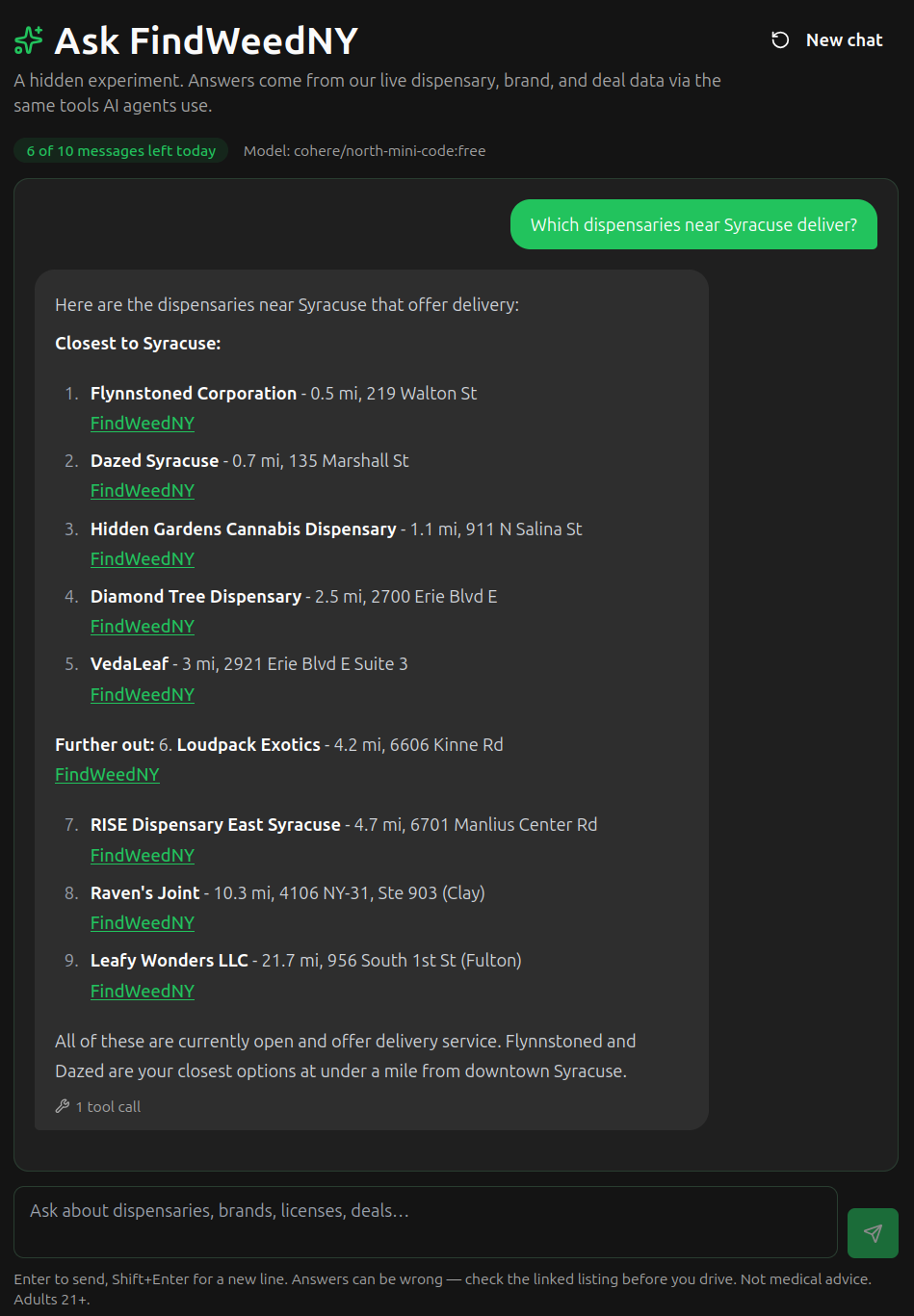
A distance-sorted delivery search around Syracuse.
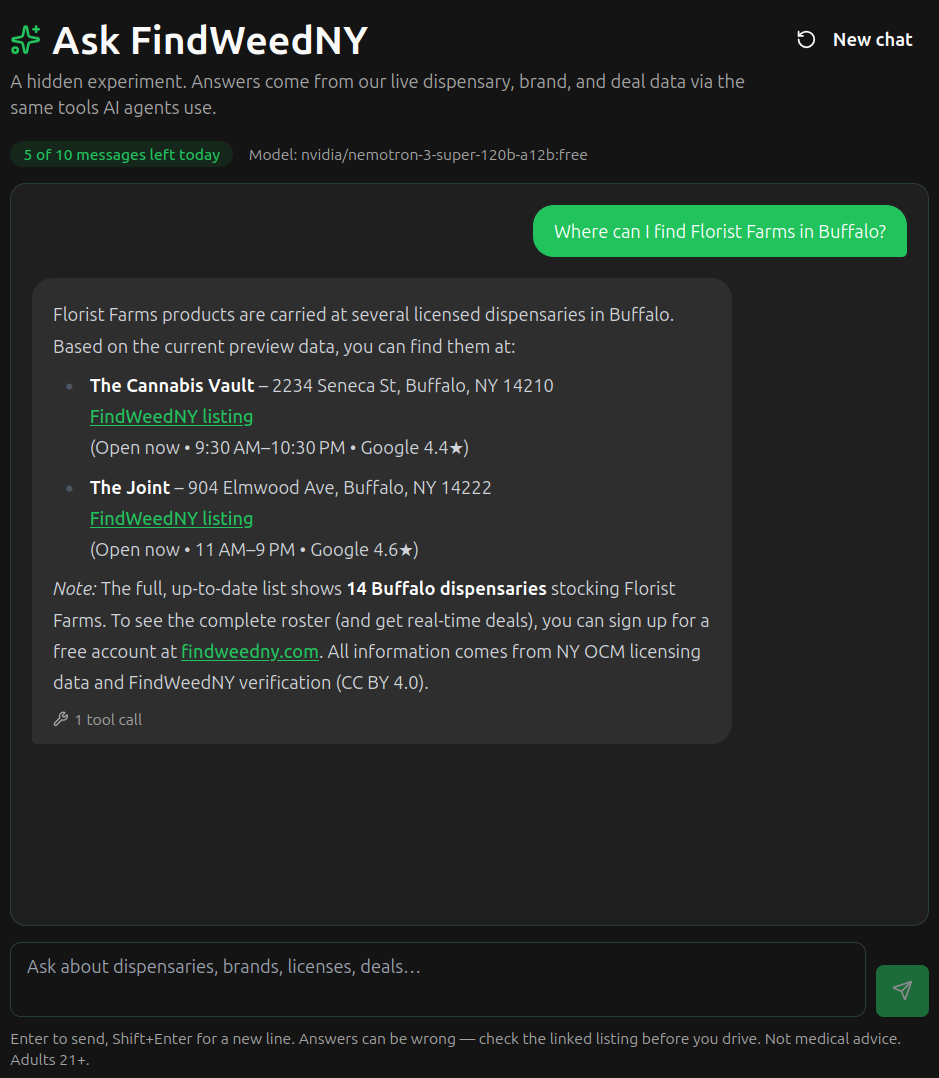
Brand availability on the public tier: a preview of stores, plus the honest note that the full list needs a free account.
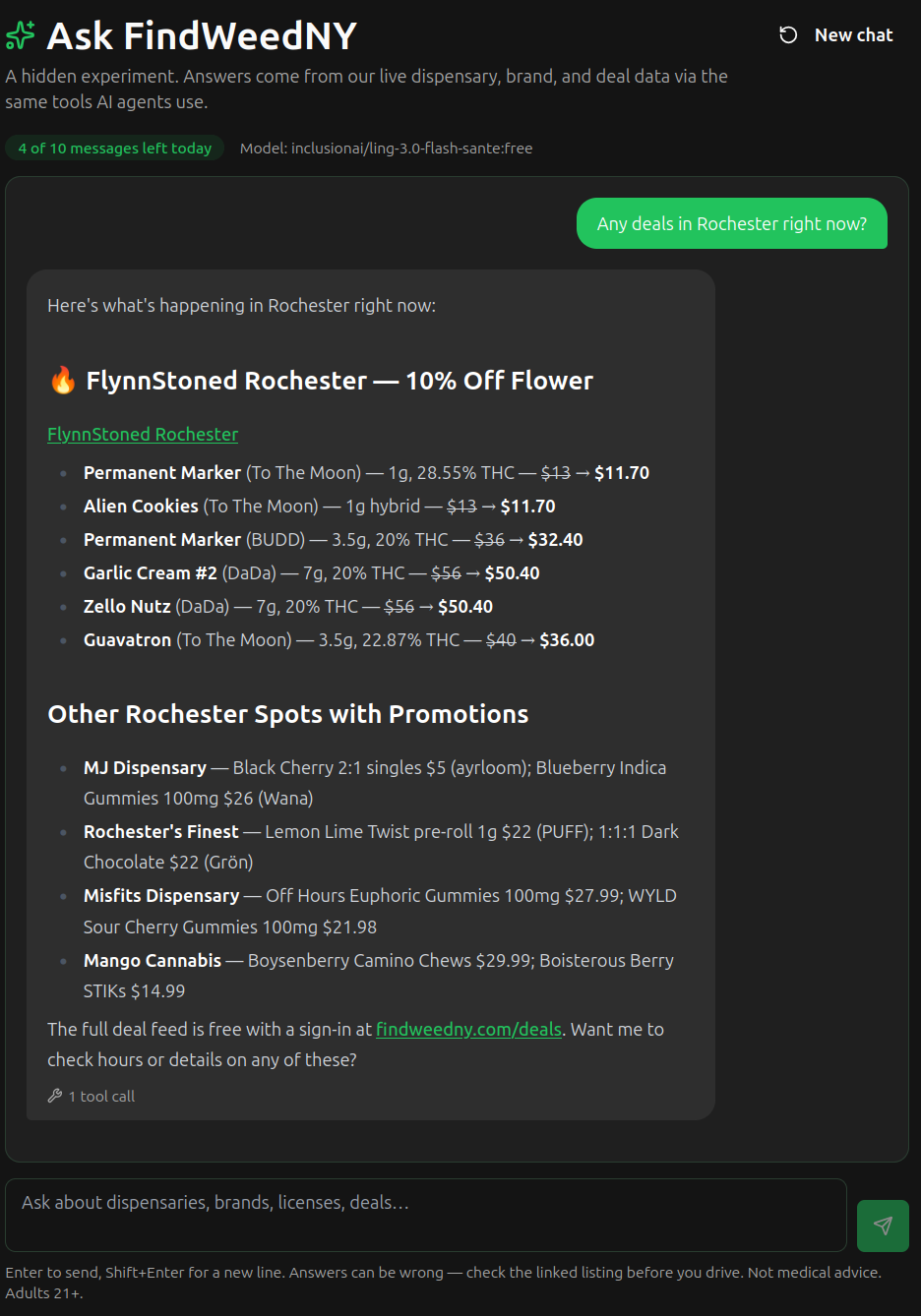
Deal previews by city, with original and sale prices side by side.
How to Connect
Every client takes the same URL. The landing page at mcp.findweedny.com has copy-ready snippets for each of these, and a playground where you can run any tool in the browser before connecting anything.Claude Code
claude mcp add --transport http findweedny https://mcp.findweedny.com/mcp
Claude.ai and Claude Desktop: Settings, Connectors, Add custom connector. Paste the URL and leave the client id and secret blank.
ChatGPT: Settings, Connectors, Create (developer mode). Paste the URL and choose No authentication.
Cursor, Windsurf, VS Code and other JSON-configured clients:
{
  "mcpServers": {
    "findweedny": {
      "url": "https://mcp.findweedny.com/mcp"
    }
  }
}
See it work before you connect anything. The landing page has a playground that runs every tool live from your browser, and copy-ready setup for each client.
Public vs Signed In
The public endpoint is the whole server with one limit: when you ask which stores stock a brand, it lists up to 10 of them plus per-city counts. Signing in with a free FindWeedNY account lifts that to every store, and moves the rate budget from your IP to your account.
To use it, connecthttps://mcp.findweedny.com/mcp/full instead. Your client opens a FindWeedNY sign-in page the first time, you approve, and access lasts 30 days. Nothing is ever written to your account. The full comparison is on the landing page.
Why We Built It
AI keeps raising the floor. Not long ago, a clean directory of licensed New York dispensaries was a product on its own. Now any assistant can produce a plausible-looking list in seconds, and more people ask an assistant before they open a search engine. What counts as useful moved, so the site has to move with it. We would rather assistants answer New York cannabis questions from verified OCM records and our own reviews than from a stale forum thread.
We also see the demand every day, just not politely. findweedny.com is hit by aggressive bots and crawlers around the clock, fetching the same pages a person would read, over and over. Serving that traffic costs money and time we would rather spend on the data. An MCP server is the honest version of that traffic: a cheap, rate-limited, attributed way to get the facts, instead of a headless browser hammering a React app.
That is the balance we are striking between cost and time. The real value of FindWeedNY is not any one page. It is the pipelines behind them: the daily pull from OCM, geocoding and verification, crawled menus that feed brand availability and deals, and reviews anchored to lab results. The public feeds, the open data hub and now this server, are artifacts of that work. Sharing them costs us little, and they are proof of what the underlying product can do. Both serve the same public tier under the same CC BY 4.0 terms: use the facts, link back to the row.For Readers Who Stuck Around
There is a chat built into findweedny.com that runs on this same server. It is an easter egg rather than a feature: enter the Konami code on any page. On a keyboard that is up, up, down, down, left, right, left, right, B, A. On a phone, swipe the same pattern with one finger (up, up, down, down, left, right, left, right) and then tap twice and "Ask FindWeedNY" appears at findweedny.com/ask and in your account menu. It needs a signed-in account with a verified email, allows 10 messages a day, and runs on free models, so answers can be slow or wrong. Check the linked listing before you drive. The screenshots above all came from it.What We Log
Each tool call records which tool was used, a normalized summary of the arguments (the city, ZIP, brand or license asked about), how many results came back, and the name of the client that connected. That tells us what people want that we do not have yet, which is our roadmap. We do not receive your conversation. The signed-in tier records usage under your account name rather than an IP.
FAQ
Is this AI?
No. The server is a conventional data service that speaks the MCP protocol. It stores nothing, generates nothing and runs no model. Your assistant is the AI; this server is one of the tools it can call.
Does it cost anything?
No. Both tiers are free. The signed-in tier only requires a free FindWeedNY account.
Can the assistant change anything on my account?
No. The server is read-only end to end. Signed-in access exists to unlock more data, not to act on your behalf.
Is the data the same as the website?
Yes. The server reads the same feeds the site loads, refreshed daily from OCM and our crawlers. Results carry a dataUpdated timestamp so you can see how fresh they are.
Does it cover states other than New York?
No. It is New York State only, and it will tell the assistant that if asked about somewhere else.
Can I use the results in my own project?
Yes. Facts are CC BY 4.0: cite FindWeedNY and link the url on each row. Our review texts stay copyrighted, but the review index is open.
Where else is it listed?
It is published in the official MCP Registry as com.findweedny/findweedny, so clients that browse the registry can find it without the URL.
Related Reading
- Open data hub: the same public tier as CSV downloads
- License lookup tool: check any OCM license in the browser
- Understanding NY Cannabis Licenses
- What Does a COA Prove?
- Reviews: the lab-anchored reviews the server searches
Sources
- Model Context Protocol specification
- NY Office of Cannabis Management open data
- FindWeedNY MCP server landing page
Updated September 10, 2026